
Export Twitter Bookmarks & Backup Instagram Saves: Sync to One Searchable Library
 Pedro Martins
On this page
Okay, let's do a quick test.
Open Instagram. Go to your Saved posts. Now find that recipe reel you saved 6 months ago. The one with the pasta dish that looked incredible.
Can't find it? Yeah. Neither can I. Because Instagram's "search" for saved posts is... scrolling. That's it. Scroll until you recognize it or give up.
Now try X. Open your bookmarks. Find that thread about salary negotiation from last year. The one that had really specific numbers and scripts. Good luck—X doesn't even let you search your own bookmarks properly.
Here's the frustrating truth: social platforms want you to save content, but they don't actually want you to find it again. That's not a bug. It's a feature. The longer you scroll, the more ads you see.
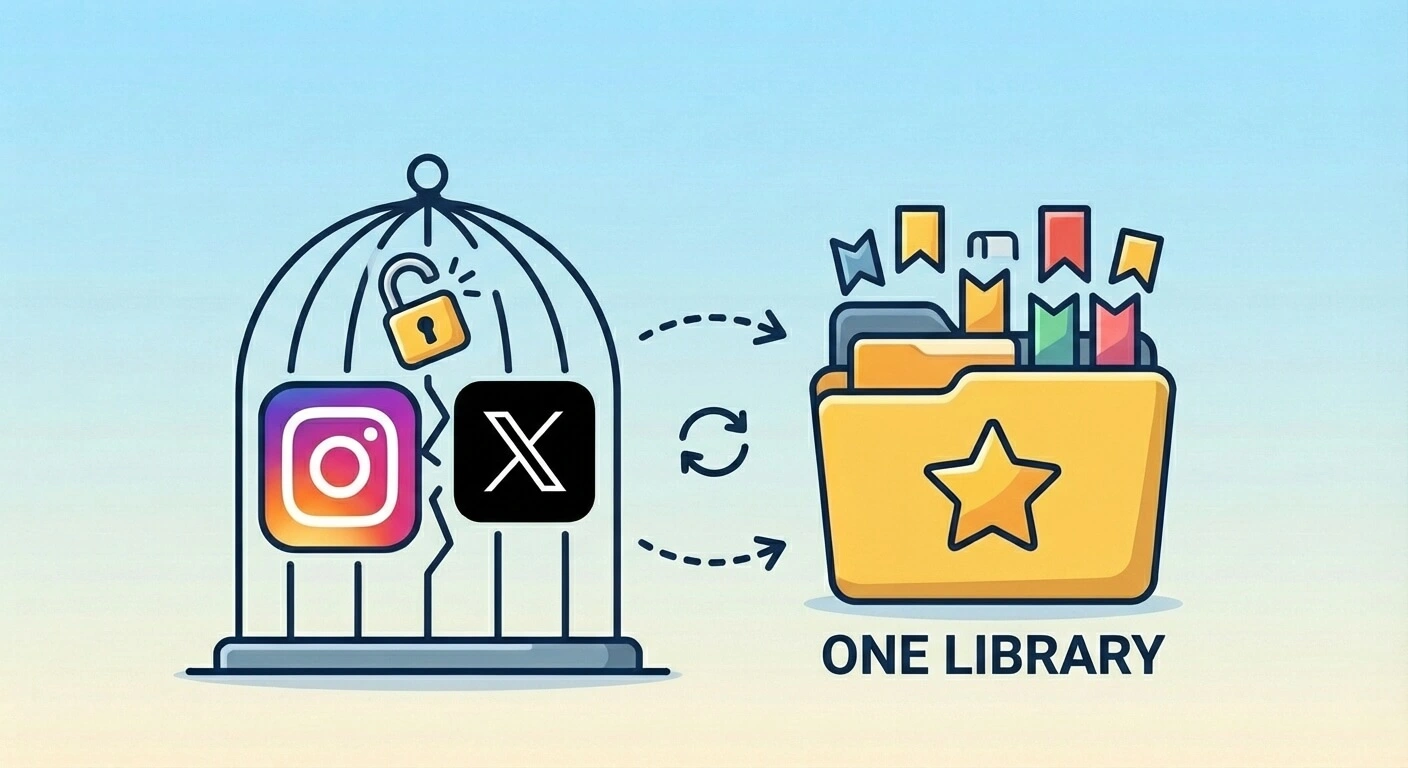
So what do you do when your bookmarks are trapped in apps that don't want you to leave?
1. The Platform Lock-In Problem
Let's break down exactly how each platform holds your saves hostage.
Your saves exist inside Instagram. That's it. There's no export. No search. No backup.
What you can do:
- Scroll through everything manually
- Create "Collections" (basically folders)
- Hope creators don't delete their posts
What you can't do:
- Search by keyword ("pasta recipe" won't work)
- Export your saves anywhere
- Keep content if the creator deletes it
- Access saves if you lose your account
One app called Dewey put it bluntly: "Saved posts can disappear, whether due to account changes or deleted content." That recipe reel you loved? If the creator takes it down, it's gone. From your saves too.
X (Twitter)
X bookmarks are somehow worse. At least Instagram has Collections. X has... nothing.
- No folders
- No tags
- No native export
- Questionable limits on how far back you can scroll
- Search is basic keyword matching—no understanding of context
People have been asking for bookmark folders since 2018. Six years later? Still nothing. Twitter—sorry, X—doesn't care.
Both platforms can change their terms, deprecate features, or suspend your account at any time. Your bookmarks disappear with your access.
2. Why Third-Party Tools Fall Short
The obvious solution: use something else. Plenty of tools promise to "free" your social bookmarks. Most of them have problems.
Export Tools (One-Time Dumps)
Tools like ArchivlyX let you export X bookmarks to CSV or JSON. Cool. But then what?
You've got a spreadsheet with 500 URLs. Are you going to ctrl+F every time you want to find something? Is that really better than scrolling on X?
Export tools solve the "backup" problem. They don't solve the "actually use my bookmarks" problem.
Dewey
Dewey is the closest thing to a real solution for social bookmarks. It syncs X, Instagram, LinkedIn, Reddit, TikTok—pretty much everything. Dashboard, search, folders. All the basics.
Here's the catch: Dewey is only for social bookmarks.
Your browser bookmarks? Separate. That article you saved from Hacker News? Not there. The GitHub repo you starred? Somewhere else entirely.
So now you have two places to search instead of one. That's... not ideal.
The Missing Piece
What I actually wanted was simple: everything in one place. Social saves. Browser bookmarks. Starred repos. All searchable together. If I'm looking for "React Server Components," I want to see the Twitter thread and the blog post and the GitHub discussion. Not flip between three apps.
That's what we built with Bookmarkjar.
3. How Social Sync Works (No OAuth Dance Required)
Here's where it gets interesting. Most sync tools use OAuth—that "Sign in with Twitter" flow where you grant permissions. OAuth is fine, but it has limitations. Platforms can revoke access, rate limit aggressively, or restrict what data you can pull.
We took a different approach: a browser extension.
The Extension Method
- You install the Bookmarkjar extension
- You log into X and Instagram normally in your browser
- The extension reads your bookmarks using your logged-in session
- It sends them to your Bookmarkjar library
No OAuth tokens stored. No permissions to revoke. If you're logged into the platform, you can sync.
What Gets Synced
From X:
- Your full bookmark history (paginated, up to 1,500)
- Tweet content, images, and media
- Thread unrolling (we grab the whole thread, not just the first tweet)
- Author info and timestamps
From Instagram:
- Saved posts and reels
- Thumbnails and images
- Captions and context
- Collections (if you use them)
The Pagination Thing
Both platforms make you work for your own data. They don't give you everything at once—they paginate.
Our extension handles this automatically. It:
- Fetches the first batch of bookmarks
- Saves the cursor (position marker)
- Fetches the next batch
- Repeats until it's got everything (up to 1,500 per platform)
If something interrupts the sync—you close the tab, browser crashes, whatever—it picks up where it left off next time. Cursor-based sync means you don't re-download everything.
We use your logged-in browser session to fetch bookmarks. Your social media passwords are never seen by Bookmarkjar. Just stay logged into the platforms you want to sync.
4. What Happens After Sync
Raw bookmarks are just URLs. The real value comes from what happens next.
AI Processing
Every synced bookmark gets:
- Auto-tags: The AI reads content and suggests relevant tags. That cooking reel gets
#recipeand#pasta. The tech thread gets#reactand#javascript. - Summary: For long threads and posts, we generate a 2-3 sentence summary so you can remember what it was about.
- Searchable content: Text from posts, tweets, and captions gets indexed. Semantic search means "that thing about negotiating salary" actually finds the right thread.
One Library, Everything Searchable
This is the part I actually care about:
Search "summer outfit ideas" and find:
- Instagram reel from a fashion influencer
- X thread with shopping links
- Pinterest board you imported
- Blog article from your browser bookmarks
All in one result set. No switching apps.
That's what unified search actually means. Not "here's your social bookmarks" and "here's your browser bookmarks"—it's all your bookmarks, together, searchable by meaning.
Cross-Platform Collections
You can mix sources in the same folder. Create a "Wedding Planning" collection with:
- Instagram decor inspiration
- X threads about vendor recommendations
- Browser bookmarks from venue websites
- Pinterest boards for dress ideas
All in one place. Organized however makes sense to you.
5. Comparison: Social Bookmark Tools
| Feature | Instagram Native | X Native | Dewey | Bookmarkjar |
|---|---|---|---|---|
| Search Saves | ❌ Scroll only | ⚠️ Basic keyword | ✅ Yes | ✅ Semantic AI |
| Export | ❌ No | ❌ No (3rd party) | ✅ Yes | ✅ Yes |
| Organization | ⚠️ Collections only | ❌ None | ✅ Folders, tags | ✅ AI auto-tags |
| Browser Bookmarks | ❌ No | ❌ No | ❌ No | ✅ Yes |
| AI Summaries | ❌ No | ❌ No | ❌ No | ✅ Yes |
| Dead Link Cleanup | ❌ No | ❌ No | ❌ No | ✅ Yes |
| Weekly Digest | ❌ No | ❌ No | ❌ No | ✅ Yes |
Dewey does one thing well: social bookmark management. If that's all you need, it's a solid choice. But if you want everything—social, browser, AI organization, cleanup, digests—in one tool, that's what Bookmarkjar is built for.
6. Step-by-Step: Sync Your Social Bookmarks
Initial Setup
- Install the extension: Get the Bookmarkjar browser extension from the Chrome Web Store
- Sign in: Click the extension icon, sign in with your Bookmarkjar account
- Log into your platforms: Make sure you're logged into X (twitter.com) and Instagram (instagram.com) in your browser
Sync X Bookmarks
- Open a tab with x.com (must be logged in)
- Click the Bookmarkjar extension icon
- Click "Sync Twitter Bookmarks"
- Wait for the sync to complete—it paginates through your entire history
- Check your Bookmarkjar dashboard to see the imported bookmarks
Sync Instagram Saves
- Open a tab with instagram.com (must be logged in)
- Click the Bookmarkjar extension icon
- Click "Sync Instagram Saves"
- Wait for completion—same pagination process
- Your saved posts now appear in your Bookmarkjar library
Enable Auto-Sync
If you want ongoing sync without manual triggers:
- Open extension settings
- Toggle "Auto-sync" on
- Choose your interval (default: every 6 hours)
- The extension will sync both platforms automatically when your browser is open
Pro Tip
After your first sync, run a cleanup scan to catch any deleted posts or dead links. Social content disappears more often than you'd expect.
7. What About Deleted Content?
Here's a question I get a lot: what happens when a creator deletes their post?
If you synced before they deleted it, you keep:
- The extracted text content
- AI-generated summary
- Any images we captured
- Tags and metadata
The original link will show as broken in your next cleanup scan. But you haven't lost everything—unlike native saves, where deletion means gone forever.
This is actually a big deal for Instagram Reels. Creators delete and re-upload constantly. That recipe reel you saved might vanish tomorrow. With Bookmarkjar, you've got a copy of the content.
8. Your Data, Your Export
One more thing worth mentioning: you can export everything anytime.
JSON, CSV, HTML—pick your format. Your synced social bookmarks, your browser bookmarks, all of it. No lock-in. If you ever want to leave, take your data with you.
That's the whole point, really. Your bookmarks shouldn't be trapped in platforms that don't care whether you can find them. They're your saves. You should be able to search them, organize them, and take them with you.
Frequently Asked Questions
How do I export my Twitter bookmarks?
Install the Bookmarkjar browser extension, log into X (twitter.com), and click "Sync Twitter Bookmarks." The extension paginates through your entire history (up to 1,500 bookmarks) and exports them to your Bookmarkjar library where you can search, organize, and re-export to CSV/JSON anytime.
Can you search Instagram saved posts?
Not natively—Instagram only lets you scroll. With Bookmarkjar, sync your saves via our browser extension, and they become fully searchable. Our AI also auto-tags content, so searching "pasta recipe" actually finds that cooking reel you saved months ago.
How do I backup my Instagram saved posts?
Use the Bookmarkjar extension while logged into Instagram. Click "Sync Instagram Saves" to pull your entire save history (up to 1,500 posts). Content is extracted and stored in your library—if a creator deletes their post, you keep the text, summary, and captured images.
Are my Instagram/X passwords safe?
We never see your passwords. The extension uses your existing logged-in browser session to fetch bookmarks—the same session you use when browsing normally. No credentials are stored or transmitted.
What if I disconnect my account?
Your already-synced bookmarks stay in Bookmarkjar. Only future syncs stop. You keep everything you've imported.
Can I download all my Twitter bookmarks at once?
Yes. The extension does a full paginated sync—it fetches batches of bookmarks using cursor-based pagination until it has everything (up to 1,500). This runs in the background; you can browse normally while it syncs.
Can I sync multiple X or Instagram accounts?
Yes, on Pro plans. Each account syncs independently to your unified library.
What happens if a creator deletes their post?
If you synced before deletion, you keep the extracted content, summary, and captured images. The original link gets flagged as broken in your next cleanup scan.
What's the best app to organize social media bookmarks?
Dewey is good for social-only. Bookmarkjar combines social sync with browser bookmarks, AI organization, dead link cleanup, and weekly digests—everything in one searchable library instead of scattered across platforms.
How is this different from Dewey?
Dewey focuses on social bookmarks only. Bookmarkjar combines social sync with browser bookmarks, AI organization, dead link cleanup, and weekly digests. It's a complete bookmark management system rather than just a social bookmark tool.
Break Your Bookmarks Out of Jail
Your Instagram saves and X bookmarks are sitting there, unsearchable, unorganized, and one account deletion away from disappearing.
It takes about 2 minutes to sync everything to Bookmarkjar. Then you can actually find that recipe reel. Actually use that salary negotiation thread. Actually benefit from all the content you've been saving for years.
Connect your accounts and start syncing—your first 100 bookmarks are free.